

Pay by card.
Guest checkout through PayPal.
When PayPal offers guest checkout, you can pay with a debit or credit card without creating a PayPal account.
RETURN TO CHECKOUTFrom your selection
to your confirmation.
Stay with the payment options PayPal displays. You can review the details before confirming your payment.
Choose the
card payment option.
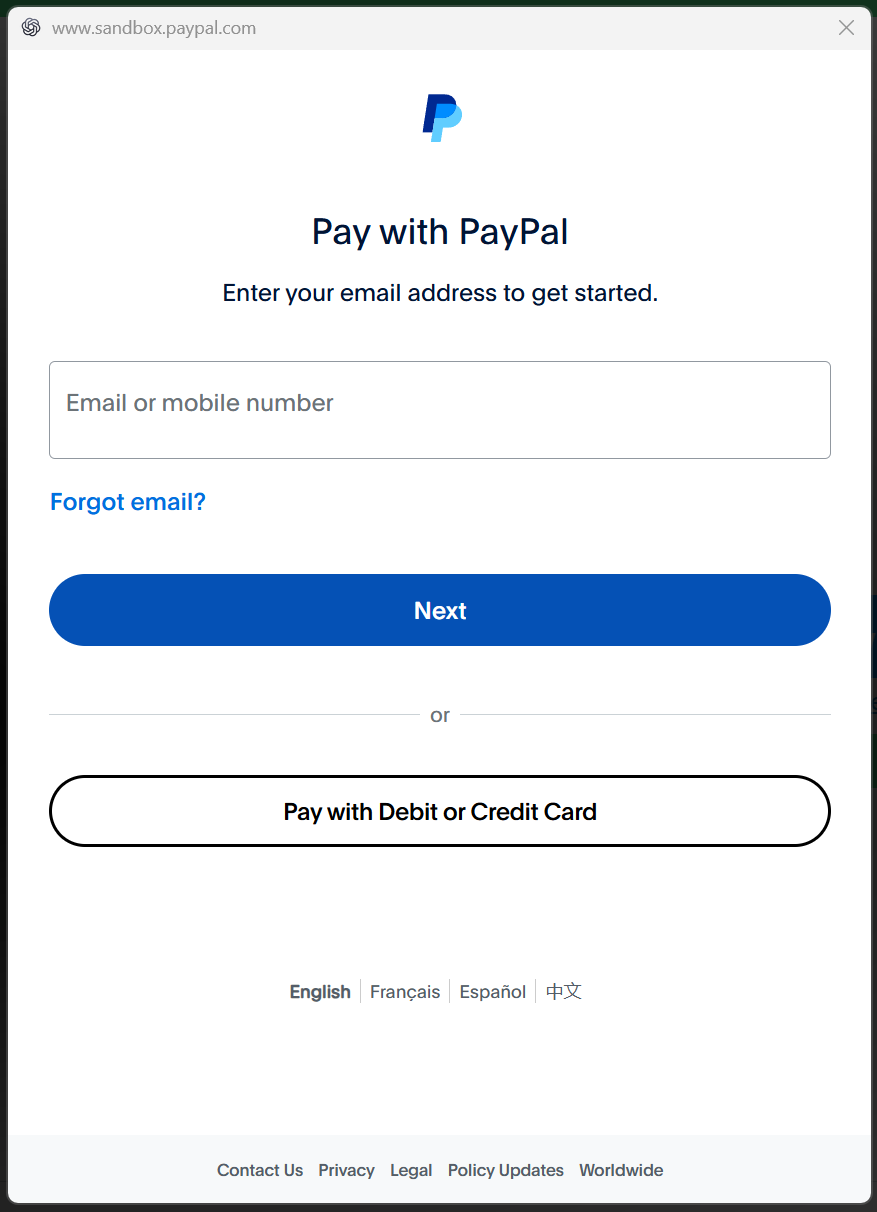
At ByYaeli checkout, review your order and continue to PayPal. If the PayPal screen offers “Pay with Debit or Credit Card”, choose it to pay with your card.
The screen may look different for your country or device. Follow the options shown for your payment.
Continue
as a guest.
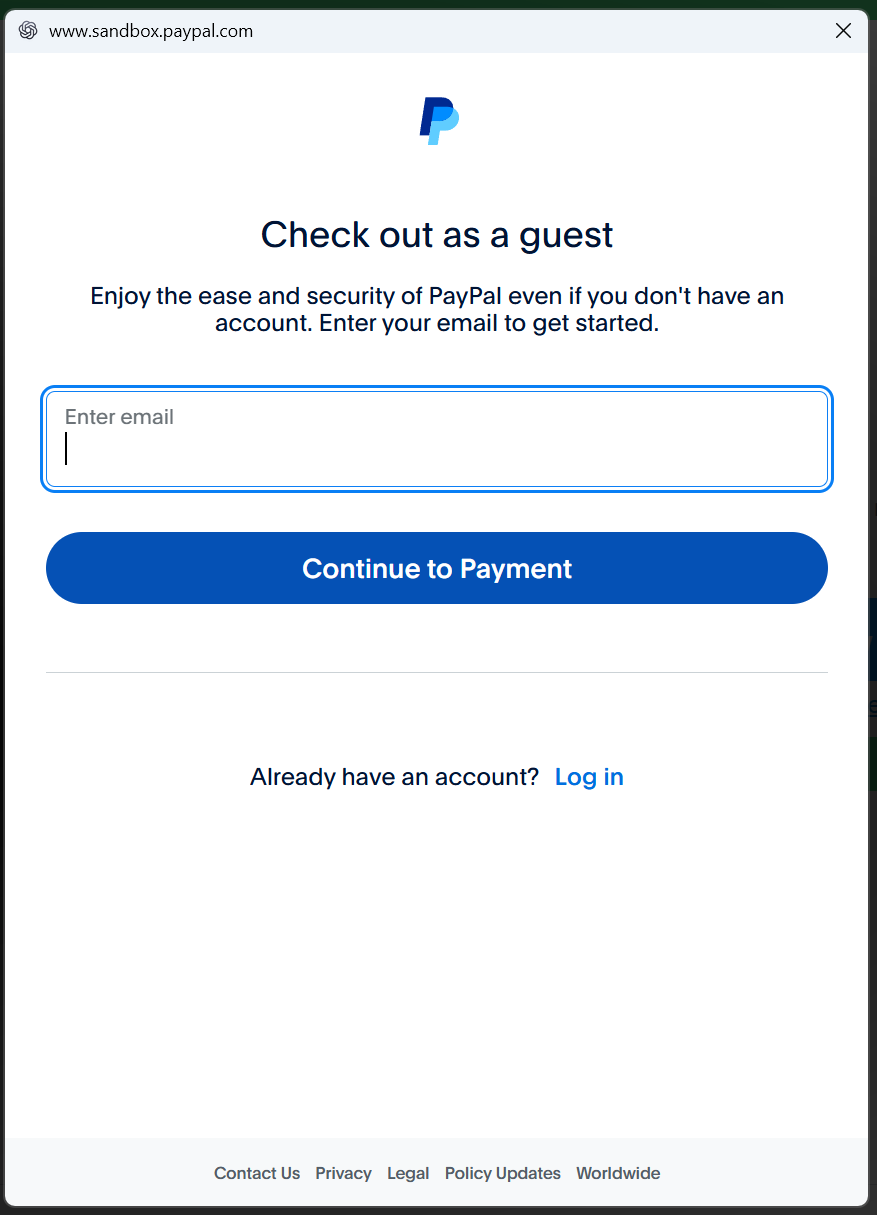
If this guest screen appears, enter your email address and select “Continue to Payment”.
The email is used for the payment. This step does not, by itself, create a PayPal account.
Enter your details
on PayPal.
Enter the card, billing and contact information PayPal requests. Follow any verification shown on screen.
PayPal handles the payment form. Please never send the studio your full card number or security code by email or message.
Continue without
creating an account.
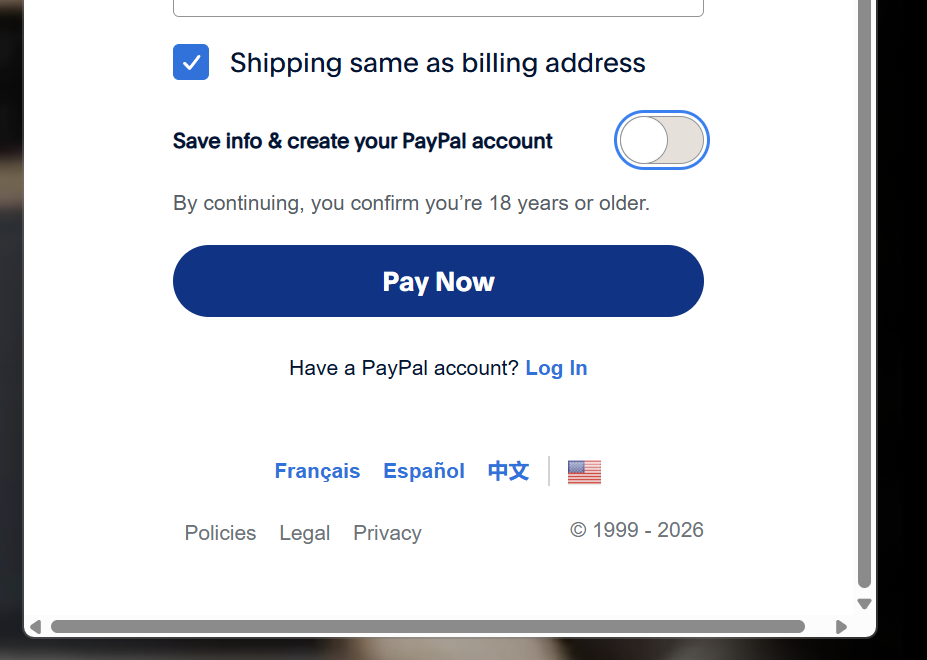
Turn off “Save info & create your PayPal account” if that option appears and you want to use guest checkout.
In this example, the switch is OFF and the final button says “Pay Now”. No password field or account creation step is shown.
Check the final button and the terms on your own screen. Guest checkout is offered for eligible payments.
Review the details.
Confirm when ready.
Check the amount, currency and delivery information on PayPal before confirming. Complete payment only when the details and account choice are right.
Return to ByYaeli for your order confirmation. If you are unsure whether payment went through, check for an order confirmation and PayPal receipt before trying again.
Only seeing
a PayPal login?
Guest card payment is not available for every purchase. PayPal may consider your location, payment history, browser cookies and its own risk assessment.
If the card option is not shown, you can use a PayPal account or contact the studio for help with the available payment options.
ASK YAEL FOR HELPYour full payment details
stay with PayPal.
PayPal uses encryption to protect payment information and does not share your full payment details with the seller.
Enter your card information only in PayPal’s payment form. Never email or message your full card number or security code.
PAYPAL PAYMENT SECURITYA few useful details.
Do I always need a PayPal account?
No. When PayPal offers guest checkout for your payment, you can use the available card option without creating an account. Guest checkout is not guaranteed for every customer or purchase.
Which cards can I use?
PayPal accepts many major international debit and credit cards. The available card types depend on your country and the options shown during payment.
What if I am not sure my payment went through?
Check for your ByYaeli order confirmation and PayPal receipt. If you are still unsure, contact the studio before trying to pay again.